THE REAL-LIFE BUYING GUIDE
Choosing a 27-Inch Monitor for a Desk You Use All Day
Balance resolution, desk depth, connections and adjustability for a practical upgrade.
Buying links currently go directly to official brand sites without affiliate tracking. Read our disclosure.
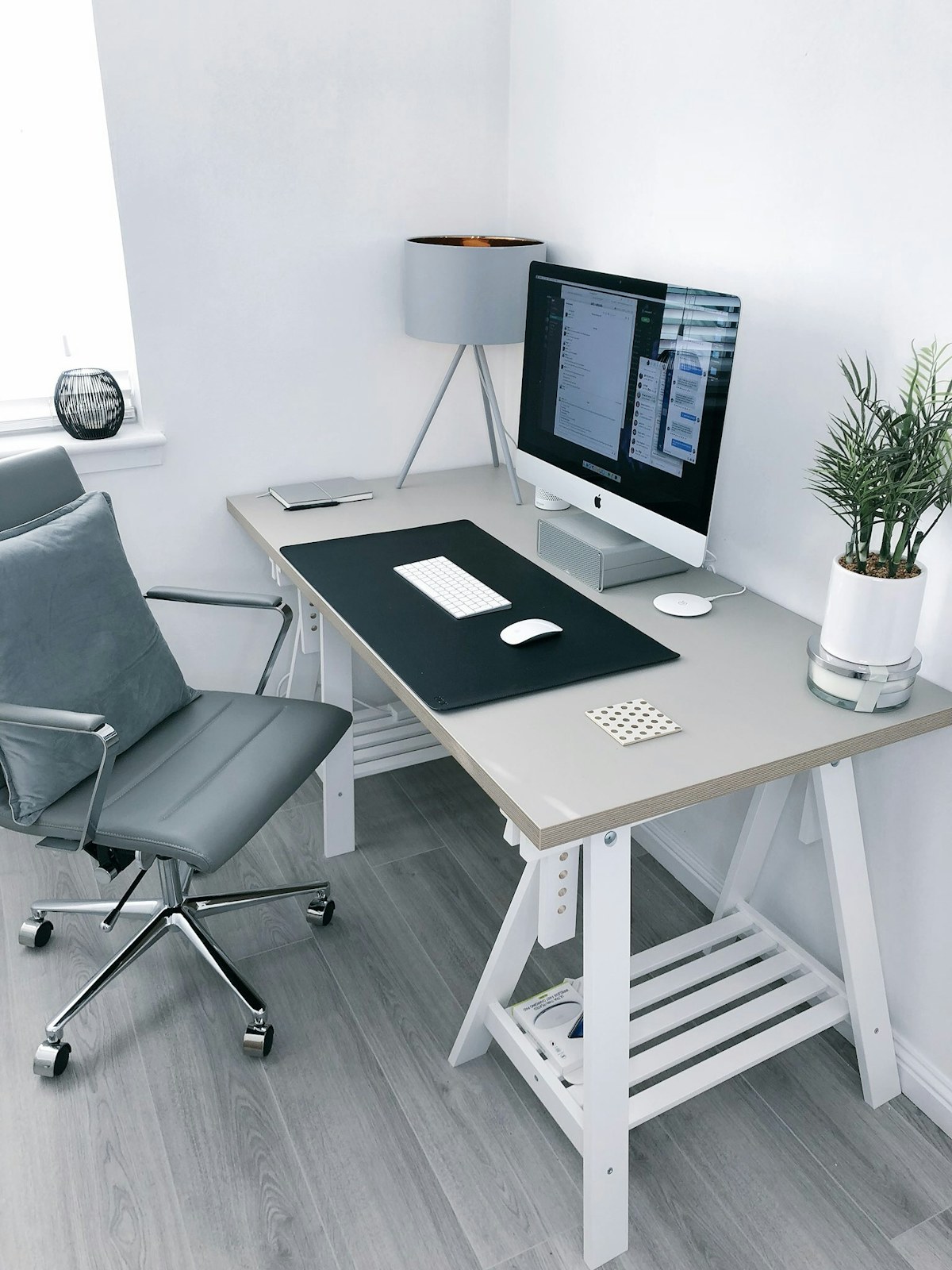
A 27-inch monitor can make a spreadsheet and a reference document easier to keep together, but the diagonal measurement is only the start. You still need readable text, enough desk depth and a connection that works with your computer. Before shopping, measure your desk and write down the ports you use. Our research-led recommendation is to favor a comfortable stand and suitable text clarity over a long list of entertainment features. A display that fits the room and starts reliably each morning is a better purchase than one with impressive specifications you never benefit from.
The quick shortlist
| Your situation | What to look for | The tradeoff |
|---|---|---|
| Document-focused choice | Adjustable office monitor Prioritizes readable text and practical positioning through a workday. | Usually lacks specialized gaming or creative features. |
| Laptop-desk choice | USB-C monitor with verified charging Can reduce clutter when laptop and display requirements match. | Cable and power requirements need checking. |
| Work-and-play choice | Higher-refresh multipurpose display Makes sense when games are a regular part of the same desk routine. | Extra features raise cost without helping spreadsheets. |
Measure the full workspace
Compare monitor width and stand footprint with your desk, leaving room for the keyboard, mouse and somewhere to put a drink safely. A screen can fit across a desk while sitting too close because its stand is deep. If you use a laptop alongside it, decide where that will go before ordering. An arm may recover surface space, but adds cost and requires compatible mounting and a desk that supports it.
Match resolution to text and scaling
More pixels can provide finer detail, but operating-system scaling determines the size of menus and text. Think about documents and applications you use all day rather than comparing screen size alone. A dense display requiring scaling is not automatically more useful than a simpler one with comfortable interfaces. Check how your computer handles the intended resolution and refresh rate over the exact port and cable you plan to use.
Pay attention to the stand
Height adjustment and tilt can save you from improvising a riser that consumes the space you wanted to gain. If you switch sitting positions, easy adjustment matters more than an elegant photograph. Read the actual movement range and whether the display rotates if portrait documents are part of your work. Avoid assuming every monitor in a product family uses the same stand or mounting arrangement. Consider the stand's full depth when checking the fit.
Decide whether one cable is realistic
USB-C can simplify a desk, but connector shape alone does not promise video, charging and a useful hub. Confirm display input, supported power delivery and laptop requirements separately. A monitor providing less power than your laptop expects may work for video while requiring the original charger. If you use a desktop, a conventional video connection and separate peripherals may be both cheaper and easier to troubleshoot. Check included cables before adding accessories.
Spend for your main task
A photographer, office worker and evening gamer can reasonably choose different displays. For documents, focus on text and ergonomics. For creative work, study manufacturer color-management information and software requirements. For gaming, examine supported refresh rates and input compatibility. Samsung's monitor pages are one catalog to explore, but compare exact model numbers and local specifications. Keep the receipt until you have checked the display with your own computer and applications, including waking it after the computer sleeps.
A final everyday-use check
Keep the old display available until your normal programs, sleep settings and peripherals work together. Check whether the new screen requires a separate audio device, since not every monitor includes speakers. A complete purchase budget includes the cable, any adapter and the mounting arrangement needed to position the display comfortably.
Compare the official options
Use these manufacturer pages to confirm the exact model, compatibility, return terms and current price. A range may include products with different features; check the individual listing before buying.
Browse Samsung official monitor range ↗Common questions
Is 27 inches too big?
Measure desk depth and stand footprint; the diagonal cannot answer that alone.
Does USB-C always charge?
No. Confirm monitor power delivery, laptop requirements and cable capability.
What should I check after delivery?
Try normal text, daytime and evening brightness, all connections and stand adjustments.
Sources & further reading
Manufacturer information checked November 5, 2026. Recommendations about fit are editorial judgments; specifications and availability can change.
Photography: Unsplash license. View image source.
Spotted an error? Send a correction.
Keep Exploring
Noise-Cancelling Headphones for the Everyday Commute
Choose commuting headphones around comfort, awareness, controls and your everyday bag.
Read the guide →
Earbuds for Work Calls: Look Beyond the Microphone Count
Find earbuds that suit calls at home, between meetings and outside.
Read the guide →
A Portable Speaker for the Kitchen, Patio and Weekend Bag
Match speaker size, controls and protection to where your music actually goes.
Read the guide →